Starlight Protocol
Main Description
Overview
Starlight Protocol is a 2D arcade space shooter developed in Unity. The player controls a spaceship that rotates toward the mouse and moves using forward thrust, creating inertia-based movement instead of standard WASD movement.
The goal is to survive progressive enemy waves, defeat enemies, collect power-ups, and keep fighting as the difficulty increases. The game expands the original 2D Shooter tutorial with new gameplay systems, multiple enemy spawners, weighted enemy spawning, stackable power-ups, shield mechanics, enemy tracking, improved HUD feedback, and custom-designed power-up and shield visuals.
Created by Anderson Gonçalves Alves Cunha Filho.
Development Context
This game was developed as part of the 2D Shooter Assignment for the Game Design and Development 1 course.
The project began from the course tutorial foundation and was expanded with custom gameplay systems, including inertia-based spaceship movement, progressive waves, multiple enemy spawners, weighted enemy spawning, stackable power-ups, shield mechanics, enemy tracking indicators, custom power-up and shield visuals, and dynamic HUD improvements.
Controls
| Feature | Keys |
|---|---|
| Thrust / Move Forward | W |
| Aim / Rotate Ship | Mouse |
| Shoot | Left Mouse Button |
| Pause | ESC |
The spaceship does not move with standard WASD controls. It rotates toward the mouse and moves forward only when pressing W, using spaceship-style thrust and inertia.
Features
- Inertia-based spaceship movement
- Mouse-based aiming and rotation
- Forward thrust movement using only W
- Progressive enemy wave system
- Multiple enemy spawn points
- Weighted enemy spawning
- Enemies unlocked by wave progression
- Safe enemy spawning away from the player
- Stackable power-up system
- Custom-designed power-ups
- Custom shield visual
- Shield damage absorption
- Health pickup and max-health increase
- Extra Shots / multi-shot upgrades
- Speed Boost power-up
- Rapid Fire power-up
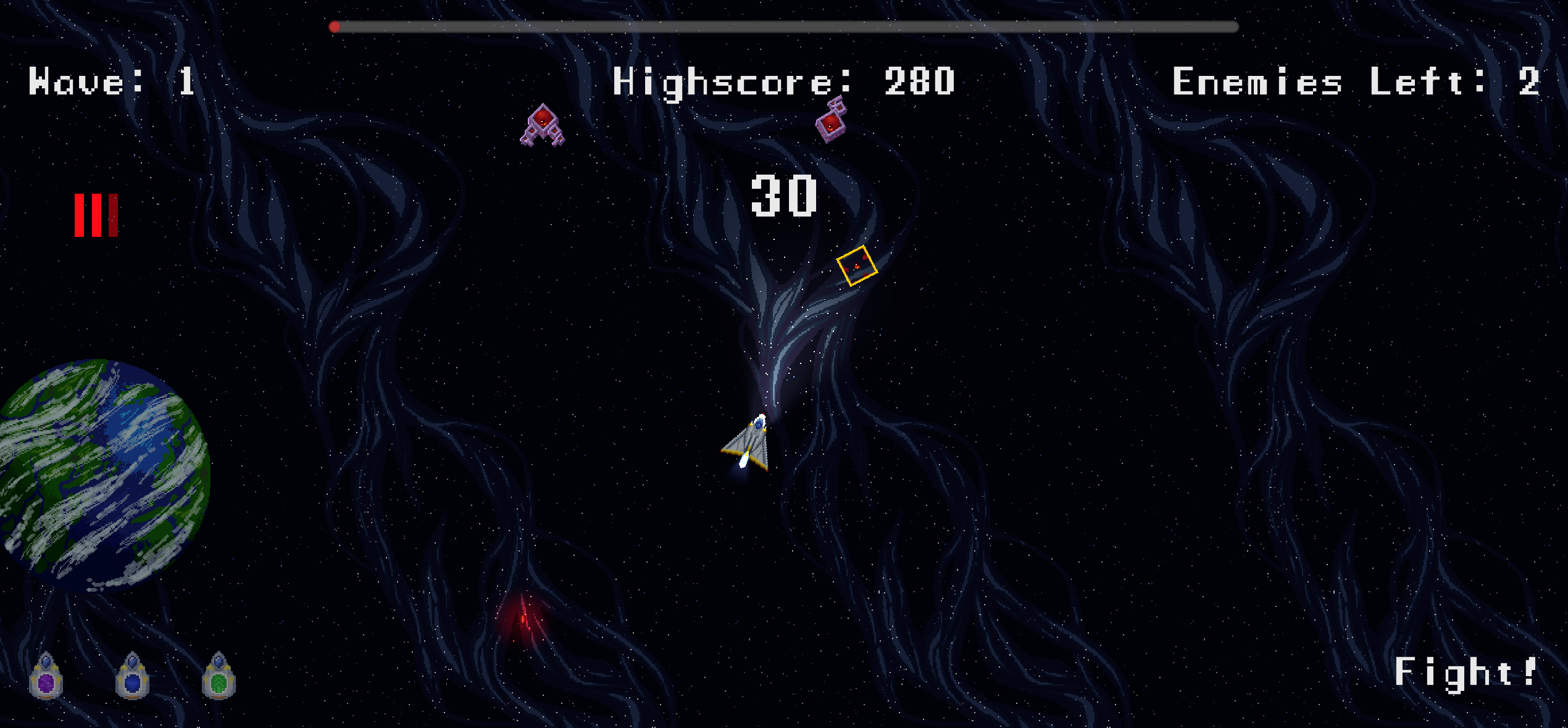
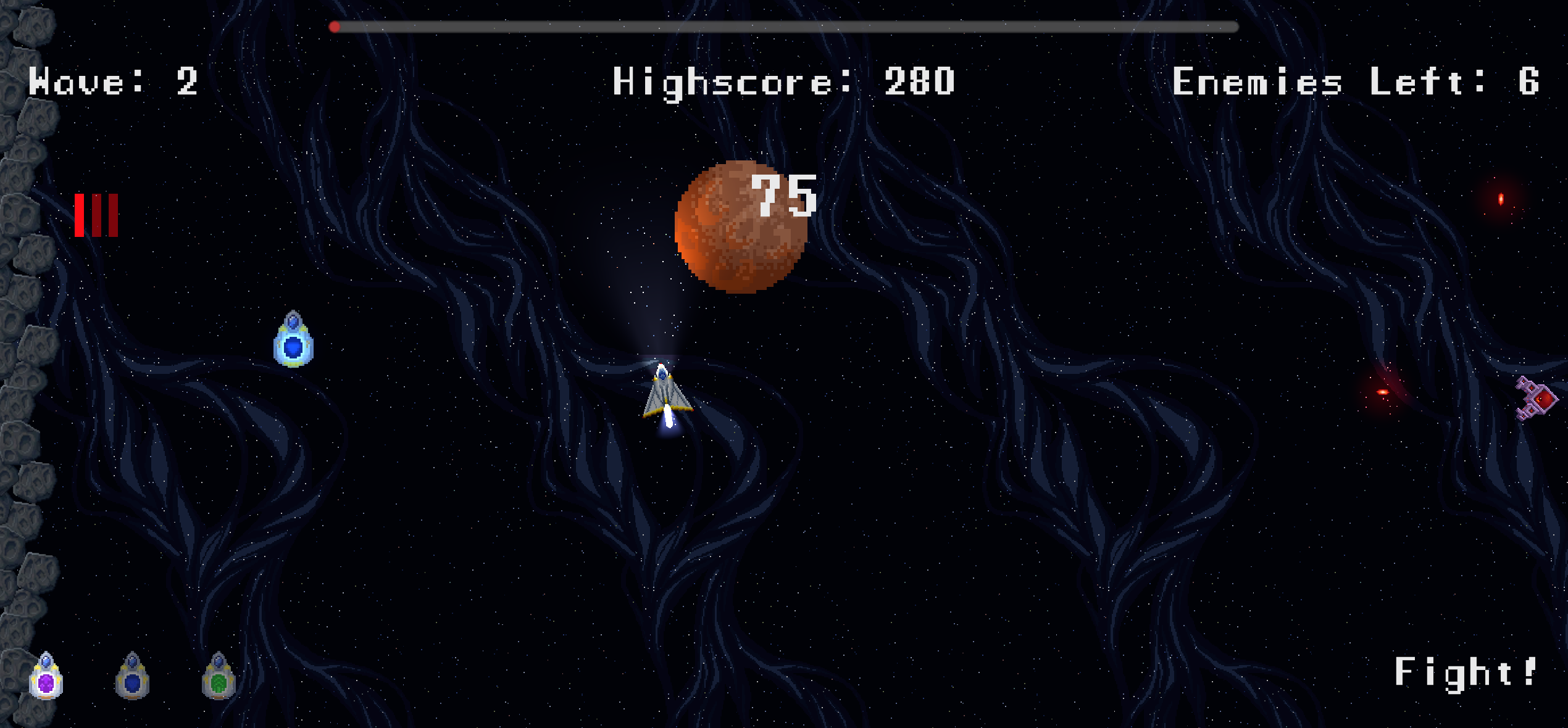
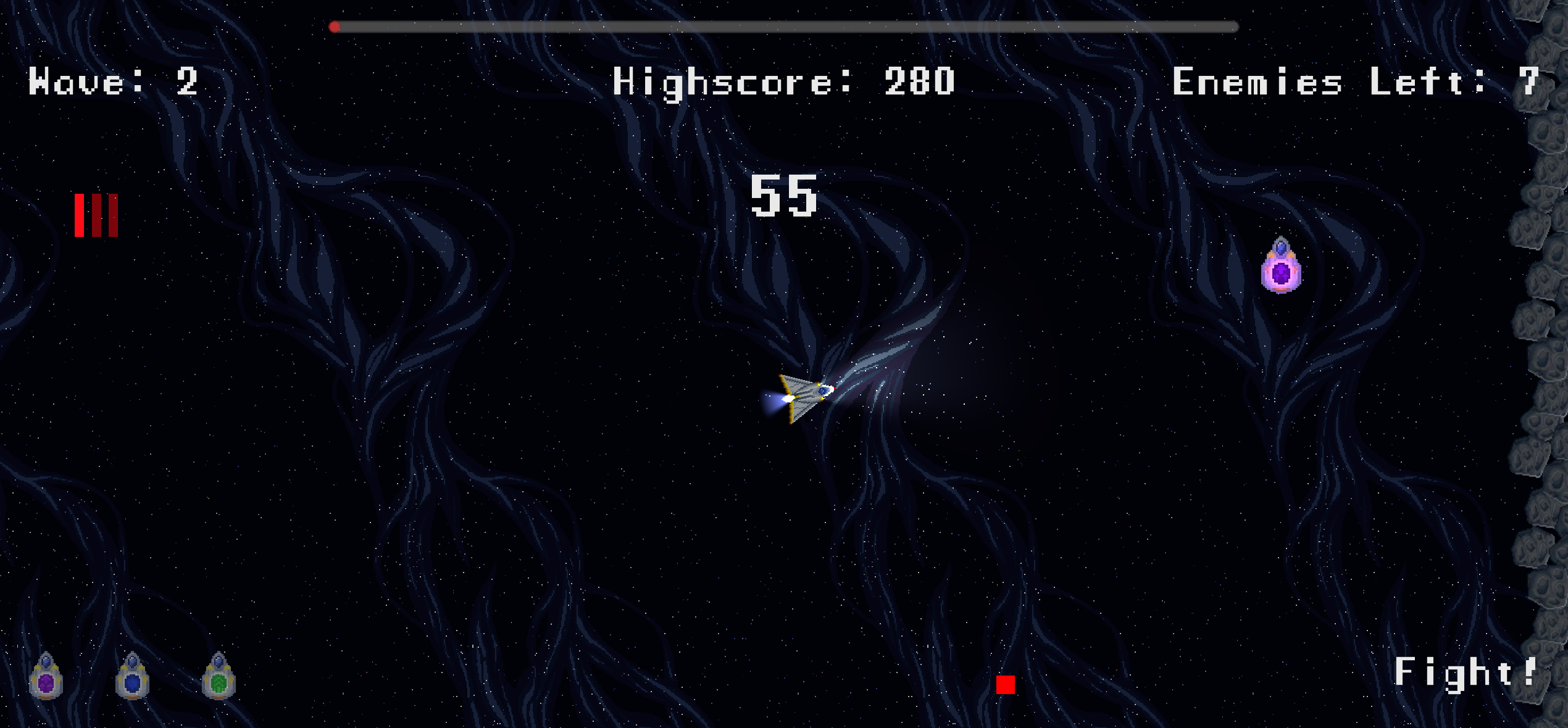
- Dynamic HUD
- Wave display
- Score display
- Power-up icons and stack counters
- Offscreen enemy tracking indicator
- 2D lighting and visual feedback
- Projectile spread and firing effects
Gameplay
The player pilots a spaceship in a 2D arena and must survive against enemy waves. The ship rotates toward the mouse cursor and uses forward thrust with inertia, making movement feel like controlling a spaceship rather than a standard top-down character.
Enemies spawn from multiple points around the arena. As waves progress, more enemies appear, spawn timing becomes more aggressive, and the challenge increases.
The player can collect power-ups to improve combat and survivability. Some power-ups are temporary, some can stack, and some provide immediate effects such as healing or increasing maximum health.
Major Modifications From The Tutorial
1. Inertia-Based Spaceship Movement
The player movement was changed to feel like a spaceship.
Instead of moving freely with WASD, the ship:
- rotates toward the mouse
- moves forward with W
- uses thrust-based movement
- keeps momentum through inertia
- is limited by max speed and drag
This makes movement more skill-based and gives the game a stronger space shooter identity.
2. Progressive Wave System
A wave progression system was added to make the game scale over time.
The wave system includes:
- increasing enemy count per wave
- reduced spawn delay as waves progress
- maximum alive enemy limits
- time between waves
- wave state tracking
- power-up rewards after completed waves
3. Multiple Enemy Spawners
The game now uses multiple enemy spawn points instead of a single simple spawn behavior.
The spawner system includes:
- several spawn locations
- safe spawn checks away from the player
- fallback spawning when no spawn points are available
- optional debug gizmos
- parent objects for organizing spawned enemies
This makes enemy placement more dynamic and prevents enemies from always appearing from the same position.
4. Weighted Enemy Spawning
Enemies are selected using weighted spawn definitions.
Each enemy can have:
- a prefab
- a spawn weight
- a minimum wave requirement
- an optional parent object
This allows stronger or different enemies to appear later in the game and makes enemy variety scale with progression.
5. Stackable Power-Up System
A modular power-up system was added.
Power-ups include:
- Health
- Rapid Fire
- Extra Shots
- Shield
- Speed Boost
Power-ups can be temporary, infinite, stackable, or instant depending on their configuration.
6. Custom Power-Up and Shield Design
Custom visual designs were created for the power-ups and shield.
This includes:
- custom power-up visuals
- custom shield feedback
- shield object attached to the player
- power-up HUD icons
- stack indicators
- blinking warnings when a temporary power-up is close to expiring
The shield is not only a pickup. It also has direct visual feedback on the player when active.
7. Extra Shots / Multi-Shot Combat
The shooting system was expanded with an Extra Shots upgrade.
Projectile behavior includes:
- one projectile by default
- three projectiles with one Extra Shots stack
- five projectiles with two stacks
- two additional projectiles per new stack
- symmetrical projectile distribution
- adjustable angle interval
- projectile spread
This makes the player’s firepower visibly grow during gameplay.
8. Shield System
A shield system was added to improve survivability.
When the shield is active:
- the player shield visual is enabled
- incoming damage is absorbed
- the shield is consumed after blocking damage
- health damage is prevented for that hit
This creates a defensive power-up with clear gameplay impact.
9. Enemy Tracking Indicator
An enemy tracking system was added to improve player awareness.
The HUD can show an indicator pointing toward the nearest enemy when enemies are offscreen. This helps the player locate threats and prevents confusion during larger waves.
10. Dynamic HUD Improvements
The interface was expanded with several new feedback systems.
HUD improvements include:
- score display
- high score display
- wave display
- remaining enemy tracking
- wave countdown bar
- power-up display
- power-up stack counters
- expiration warning blink
- offscreen enemy indicator
These changes make the game state clearer during combat.
11. 2D Lighting and Visual Feedback
The game includes additional visual feedback to improve game feel.
Examples include:
- thruster light behavior while accelerating
- firing effects
- shield visual feedback
- power-up feedback
- enemy and projectile readability improvements
Power-Ups
Health
The Health pickup heals the player immediately.
If the player is already at full health, the pickup increases the player’s maximum health.
Rapid Fire
Rapid Fire increases the player’s fire rate for a limited time or permanently depending on the configured duration.
Extra Shots
Extra Shots increases the number of projectiles fired.
- No stack: 1 projectile
- 1 stack: 3 projectiles
- 2 stacks: 5 projectiles
- Additional stacks: +2 projectiles each
Shield
Shield activates a protective visual around the player and absorbs one incoming damage event.
Speed Boost
Speed Boost increases the player’s movement speed, making the ship faster and more responsive.
Download
Leave a comment
Log in with itch.io to leave a comment.